The reports of Polypaudio's death are greatly exaggerated.
We are proud to announce the release of Polypaudio
0.8, our networked sound daemon for Linux, other Unix-like operating
systems, and Microsoft Windows. Since the last official release, 0.7,
more than a year has passed. In the meantime Polypaudio experienced
major improvements. Major contributions have been made by both Pierre
Ossman and me. Pierre is being payed by Cendio AB to work on
Polypaudio. Cendio distributes Polypaudio along with their ThinLinc Terminal
Server.
Some of the major changes:
- New playback buffer model that allows applications to freely seek in
the server side playback buffer (both with relative and absolute indexes) and to synchronize
multiple streams together, in a way that the playback times are guaranteed to
stay synchronized even in the case of a buffer underrun. (Lennart)
- Ported to Microsoft Windows and Sun Solaris (Pierre)
- Many inner loops (like sample type conversions) have been ported
to liboil, which
enables us to take advantage of modern SIMD instruction sets, like MMX or SSE/SSE2. (Lennart)
- Support for channel maps which allow applications to assign
specific speaker positions to logical channels. This enables support
for "surround sound". In addition we now support seperate volumes for
all channels. (Lennart)
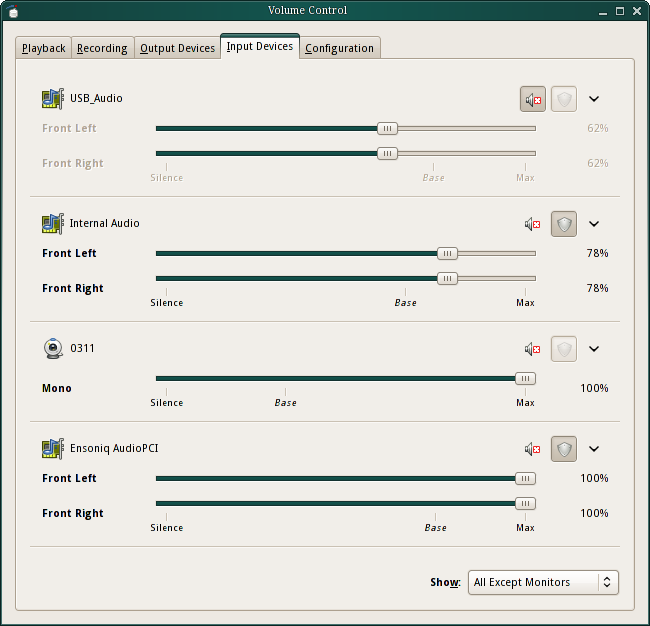
- Support for hardware volume control for drivers that support
it. (Lennart, Pierre)
- Local users may now be authenticated just by the membership in a
UNIX group, without the need to exchange authentication cookies. (Lennart)
- A new driver module module-detect which detects
automatically what local output devices are available and loads the
needed drivers. Supports ALSA, OSS, Solaris and Win32 devices. (Lennart, Pierre)
- Two new modules implementing RTP/SDP/SAP based multicast audio
streaming. Useful for streaming music to multiple PCs with speakers
simultaneously. Or for implementing a simple "always-on" conferencing
solution for the LAN. Or for sharing a single MIC/LINE-IN jack on the
LAN. (Lennart)
- Two new modules for connecting Polypaudio to a JACK audio server
(Lennart)
- A new Zeroconf (mDNS/DNS-SD) publisher module. (Lennart)
- A new module to control the volume of an output sink with a LIRC supported infrared remote
control, and another one for doing so with a multimeda keyboard. (Lennart)
- Support for resolving remote host names asynchronously using libasyncns. (Lennart)
- A simple proof-of-concept HTTP module, which dumps the current daemon status to HTML. (Lennart)
- Add proper validity checking of passed parameter to every single
API functions. (Lennart)
- Last but not least, the documentation has been beefed up a lot and
is no longer just a simple doxygen-based API documentation (Pierre, Lennart)
Sounds good, doesn't it? But that's not all!
We're really excited about this new Polypaudio release. However,
there are more very exciting, good news in the Polypaudio world. Pierre
implemented a Polypaudio plugin for alsa-libs. This means you
may now use any ALSA-aware application to access a Polypaudio sound
server! The patch has already merged upstream, and will probably
appear in the next official release of alsa-plugins.
Due to the massive internal changes we had to make a lot of modifications to
the public API. Hence applications which currently make use of the Polypaudio
0.7 API need to be updated. The patches or packages I maintain will be updated
in the next weeks one-by-one. (That is: xmms-polyp, the MPlayer patch, the
libao patch, the GStreamer patch and the PortAudio patch)
A side note: I wonder what this new release means for Polypaudio in
Debian. I've never been informed by the Debian maintainers of
Polypaudio that it has been uploaded to Debian, and never of the
removal either. In fact I never exchanged a single line with those who
were the Debian maintainers of Polypaudio. Is this the intended way
how the Debian project wants its developers to communicate with
upstream? I doubt that!
How does Polypaudio compare to ESOUND?
Polypaudio does everything what ESOUND does, and much more. It is a
fully compatible drop-in replacement. With a small script you can make
it command line compatible (including autospawning). ESOUND clients
may connect to our daemon just like they did to the original ESOUND
daemon, since we implemented a compatibility module for the ESOUND
protocol.
Support for other well known networked audio protocols (such as
NAS) should be easy to add - if there is a need.
For a full list of the features that Polypaudio has over ESOUND,
see Polypaudio's
homepage.
How does Polypaudio compare to ALSA's dmix?
Some people might ask whether there still is a need for a sound
server in times where ALSA's dmix plugin is available. The
answer is: yes!
Firstly, Polypaudio is networked, which dmix is
not. However, there are many reasons why Polypaudio is useful on
non-networked systems as well. Polypaudio is portable, it is available
not just for Linux but for FreeBSD, Solaris and even Microsoft
Windows. Polypaudio is extensible, there is broad range of additional
modules available which allow the user to use Polypaudio in many
exciting ways ALSA doesn't offer. In Polypaudio streams, devices and
other server internals can be monitored and introspected freely. The
volume of the multiple streams may be manipulated independently of
each other, which allows new exciting applications like a work-alike
of the new per-application mixer tool featured in upcoming Windows
Vista. In multi-user systems, Polypaudio offers a secure and safe way
to allow multiple users to access the sound device
simultaneously. Polypaudio may be accessed through the ESOUND and the
ALSA APIs. In addition, ALSA dmix is still not supported properly by
many ALSA clients, and is difficult to setup.
A side node: dmix forks off its own simple sound daemon
anyway, hence there is no big difference to using Polypaudio with the
ALSA plugin in auto-spawning mode. (Though admittedly, those ALSA
clients that don't work properly with dmix, won't do so with our ALSA
plugin as well since they actually use the ALSA API incorrectly.)
How does Polypaudio compare to JACK?
Everytime people discuss sound servers on Unix/Linux and which way
is the right to go for desktops, JACK gets mentioned and suggested by some as a
replacement for ESOUND for the desktop. However, this is not
practical. JACK is not intended to be a desktop sound server, instead
it is designed for professional audio in mind. Its semantics are
different from other sound servers: e.g. it uses exclusively floating
point samples, doesn't deal directly with interleaved channels and
maintains a server global time-line which may be stopped and seeked
around. All that translates badly to desktop usages. JACK is really
nice software, but just not designed for the normal desktop user,
who's not working on professional audio production.
Since we think that JACK is really a nice piece of work, we added
two new modules to Polypaudio which can be used to hook it up to a
JACK server.
Get Polypaudio 0.8, while it is hot!
BTW: We're looking for a logo for Polypaudio. Feel free to send us your suggestions!
Update: The Debian rant is unjust to Jeff Waugh. In fact, he had informed me that he prepared Debian packages of Polypaudio. I just never realized that he had actually uploaded them to Debian. What still stands, however, is that I've not been informed or asked about the removal.